The store will not work correctly when cookies are disabled.
We use cookies to make your experience better.To comply with the new e-Privacy directive, we need to ask for your consent to set the cookies.Our Policy.
Network and wireless IP intercoms with home automation features
Smart sets
iPSO sets
Network IP intercoms with access controls
Accessory
Network accessories to support IP intercoms
What are IP intercoms?
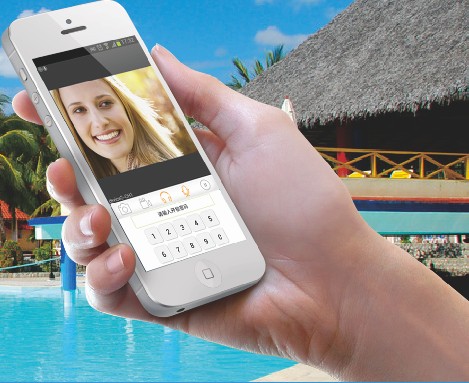
All IP intercoms allow home owners to take video calls on their smart-phones. Users will need to download an app' to their smartphone. Any 'phone app' set with the correct address will take a call from the call panel.
If a screen is included in the system, it will ring at the same time as the smart-phones. When a call is answered, the other devices will stop ringing.
It is normal that your smart-phone is connected by Wifi to the home router. If you are at home, the call it will go via your house Wifi. The router is connected to the 'cloud'. If you are in a bar, it will find you via the bar's WiFi. If you are on the move, it will find on a train or in the terminal. And if you are in a field of lonely lonely daffodils, it could find you through a 4G data service.
With IP, you are always connected in the civilised world!
Smart-i villaset
IP systems allow home owners to take calls via an app on their mobile 'phones.
Smart-i intercoms use DiCo direct connection software that simplifies the system.
Systems work out of the box. Simple for installers, simplefor home owners.
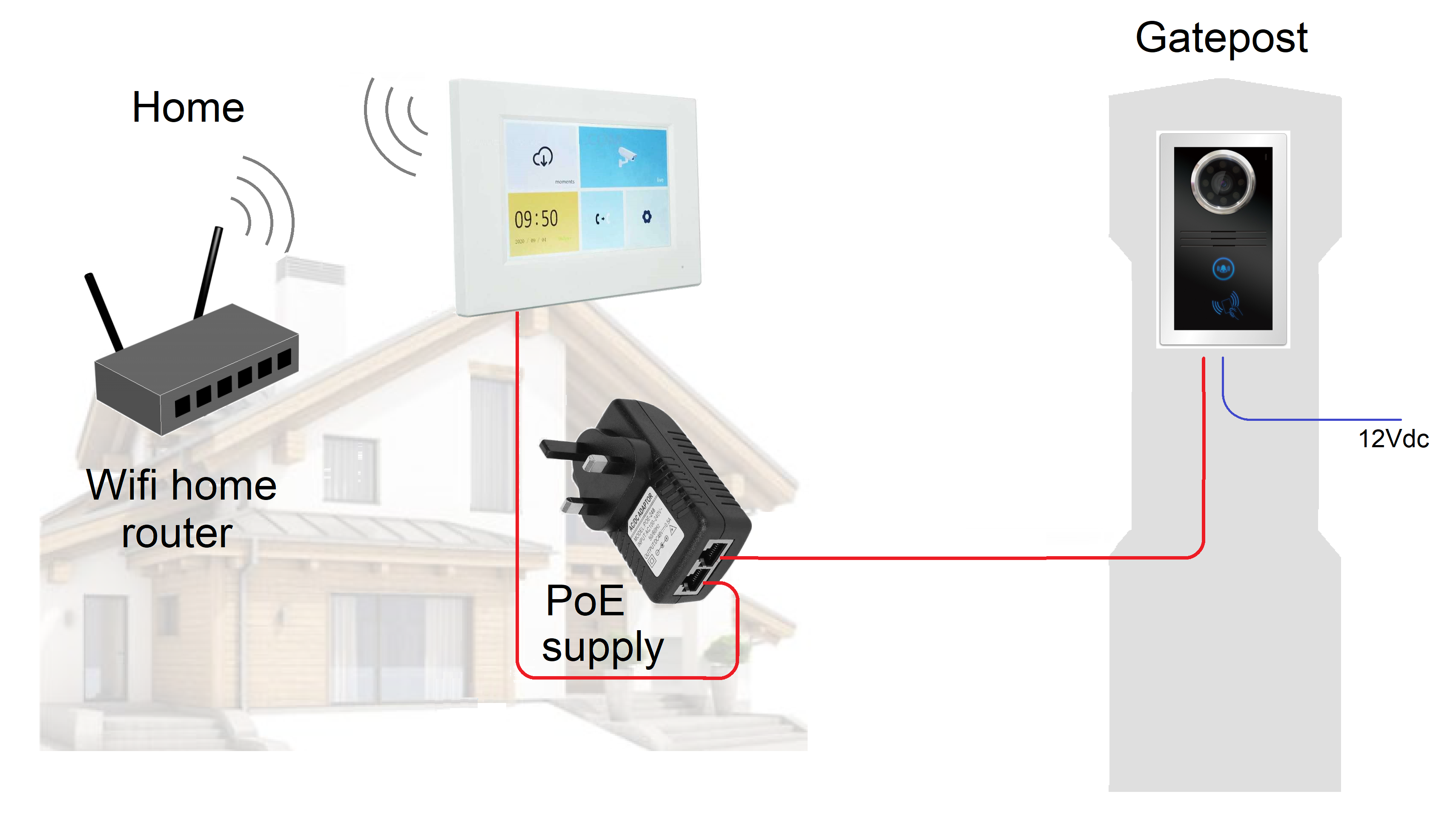
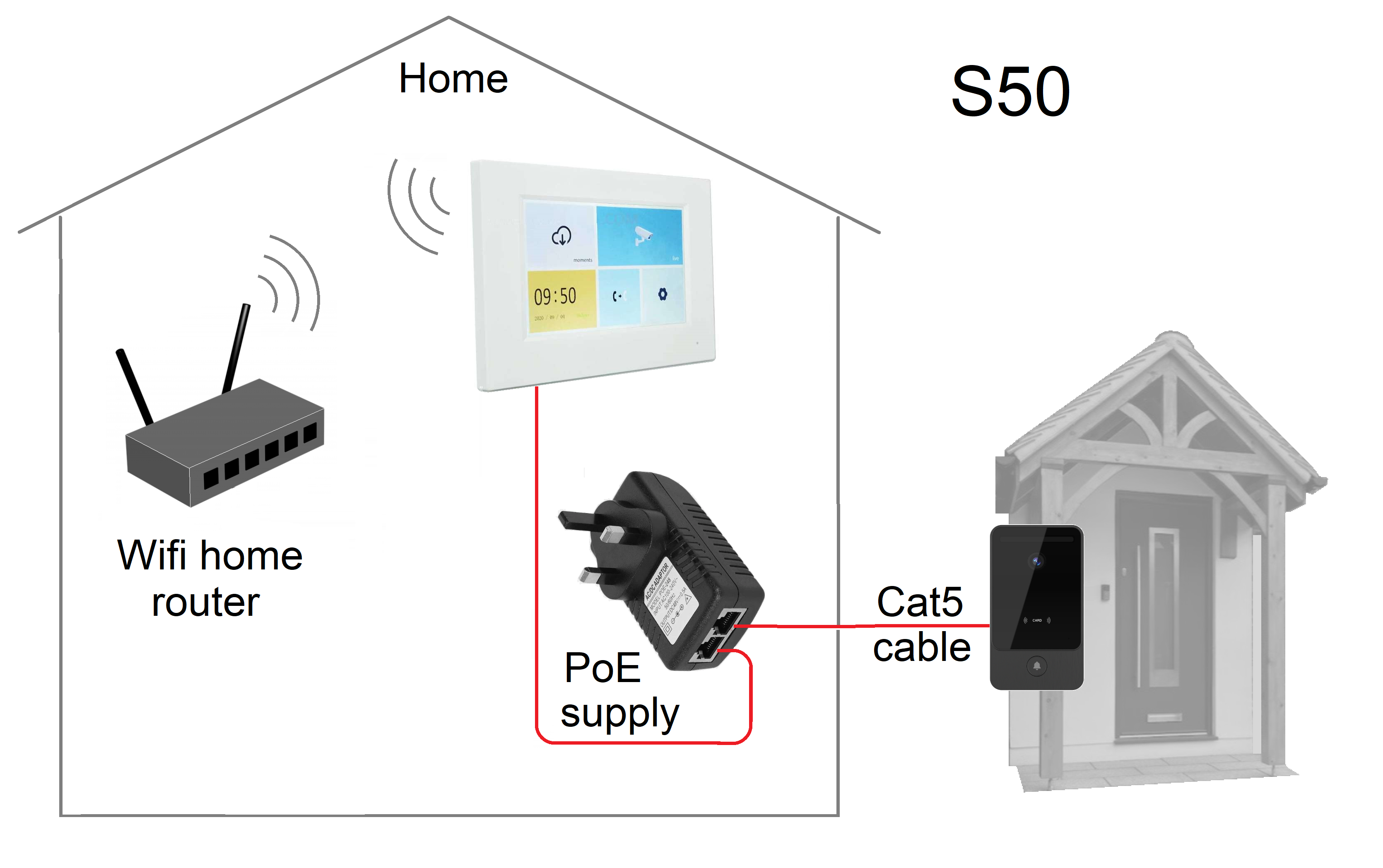
Smart-i villasets are plug and play. You need only connect the outdoor panel to the monitor with a plug in network cable.
We pre-configure the two parts so there is no setup required for one to one 'Villasets'.
The monitor connects to the home router is via Wifi. Your 'phone will already be connected.
The PoE supply further simplifies wiring to the monitor by using the single network cable. You will still need a power supply at the door, often taken from door or gate controller.
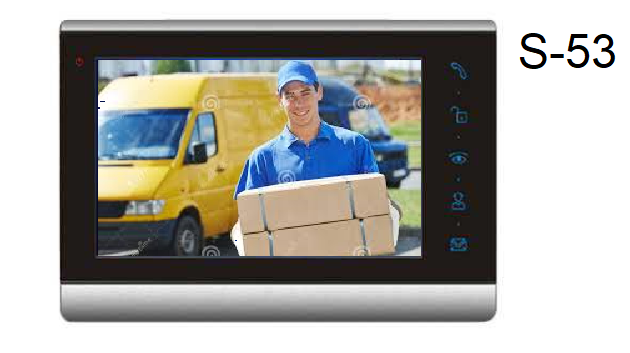
S-53 is a home automation monitor that connects to the call panel by network cable. It is PoE powered by an EPI. Three more monitors and an extra call panel can be connected in an expanded system via an EPS network switch.
S3 is also has an eight channel alarm panel for connecting to door contacts, motion detectors, and smoke alarms.
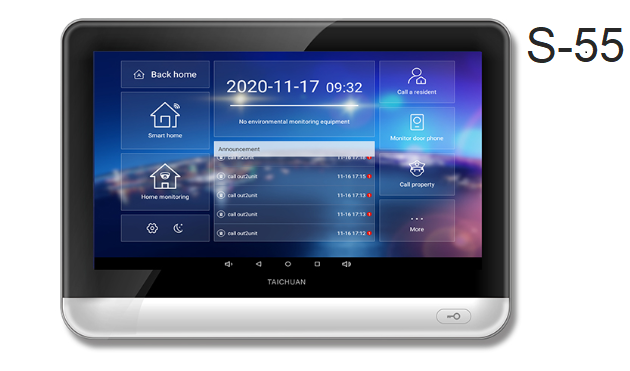
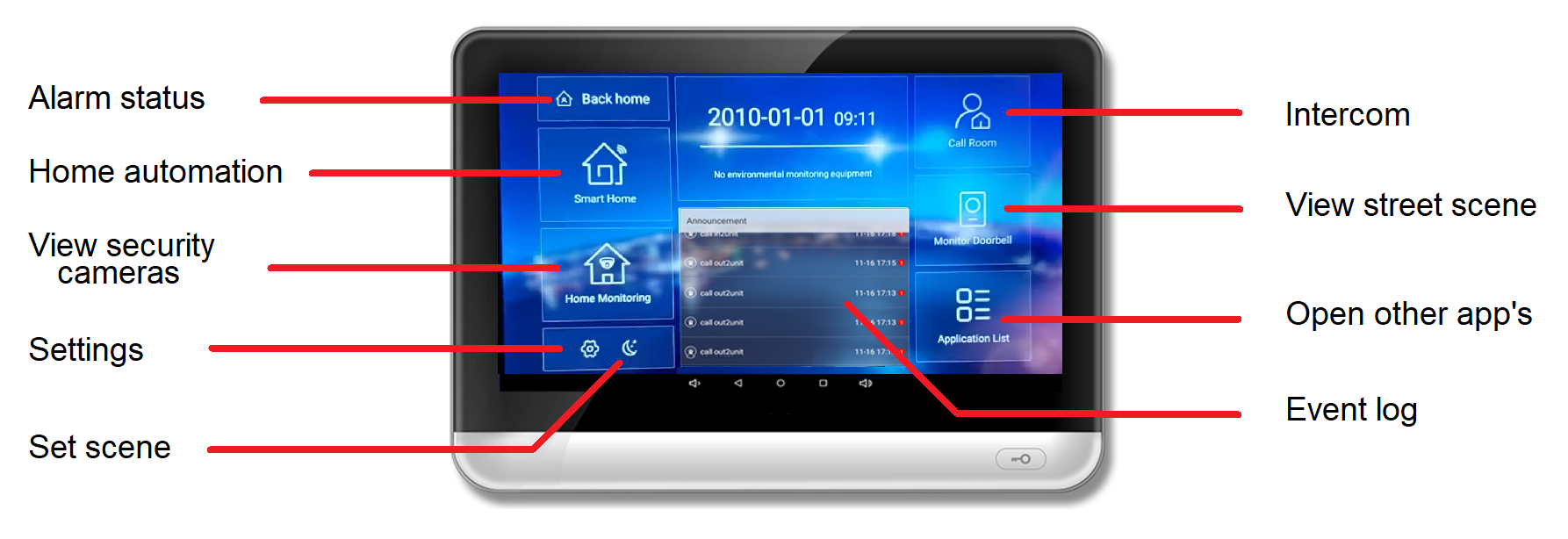
S-55 cloud connected home automation terminals running Android are connected to the home router by Wifi or network cable. Like S-53 it can be set on a network with extra intercom devices, has the same alarm interface, and is PoE powered.
You can upload additional automation apps' and browse the internet. There is a RS485 port for complex app's to control lighting, heating, and audio distribution.
S5 S-55 terminal functions
Alarm status - You can set your status as at home or out. Use this tab to set or disable the alarm.
Home Automation - This tab opens the Smart Home app screen.
Home Monitoring - You can view surveillance camera outputs on the screen via this tab.
Settings - View and setup
Scene - Pre-set home automation scenes can selected here.
Intercom - Call another screen on the same network.
Monitor - This tab brings up the street view seen through the door panel.
Application list - This screen gives access to saved app's such as local weather, traffic news.
Event log - See missed and answered calls, view record etc.
S5 i5 series & i6 series call panels
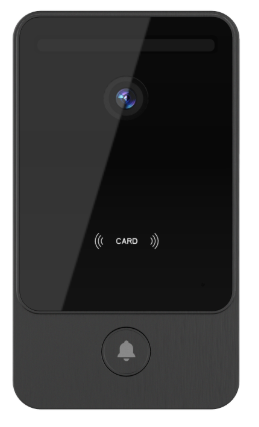
i60 bk outdoor panel
i5 series panels
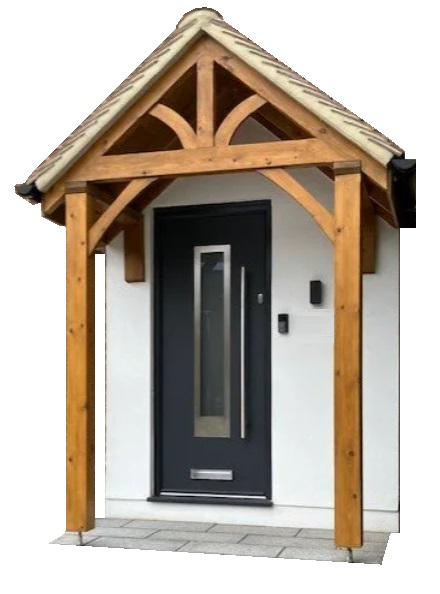
Stylish door panels for external use, but mounted in a sheltered area, such as a porch.
i51 single button villa
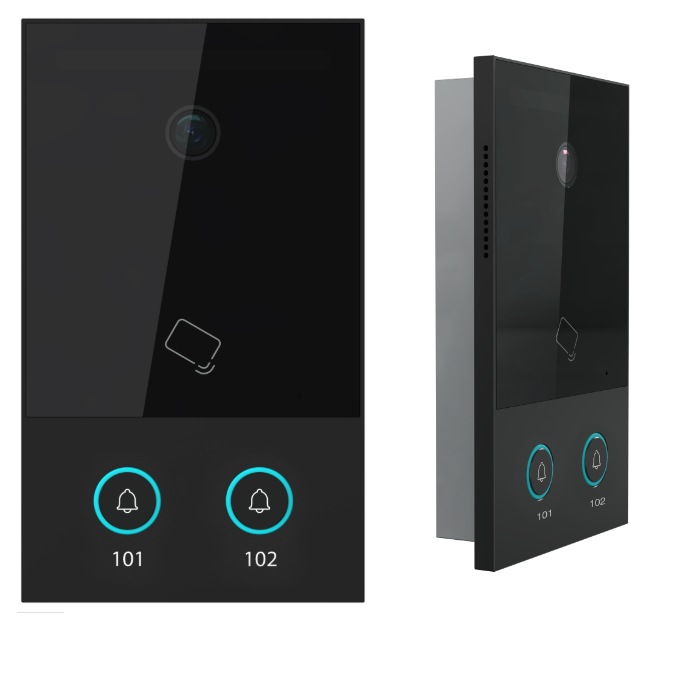
i52 double button villa + annexe
i54 four button apartment
i53 Digital call apartment panel
i6 series panels
Vandal resistant call panels for exposed environments, such as gate posts.
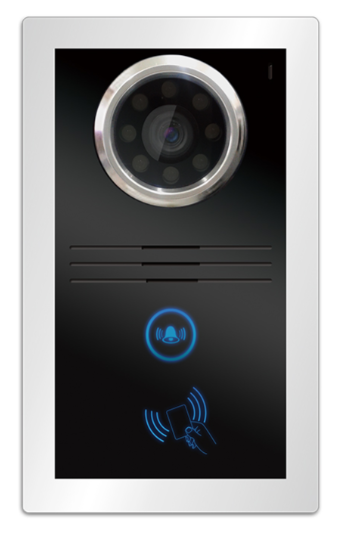
i60 s Silver LED lit button
i60 bk Black touch button
i54 porch panel
i53 digital call panel
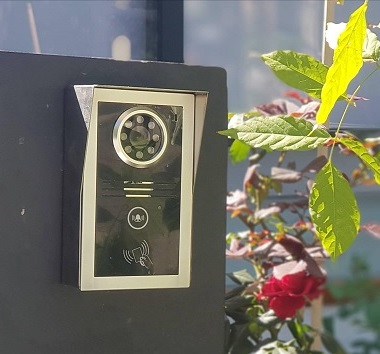
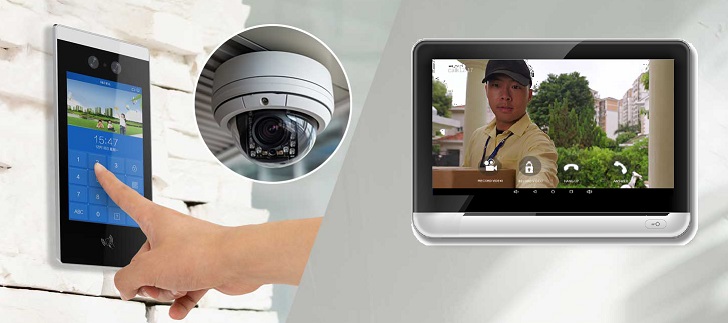
Stylish porch call panel for apartment blocks. This panel incorporates a keypad and card reader, and facial recognition.
Smartphones can be loaded with a card simulator app which can unlock the door by touching the 'phone against the door panel card reader.
Facial recognition is an ideal technology for friends and family, especially when you are carrying children or shopping! Just look into the camera to open the door.
Apartment systems
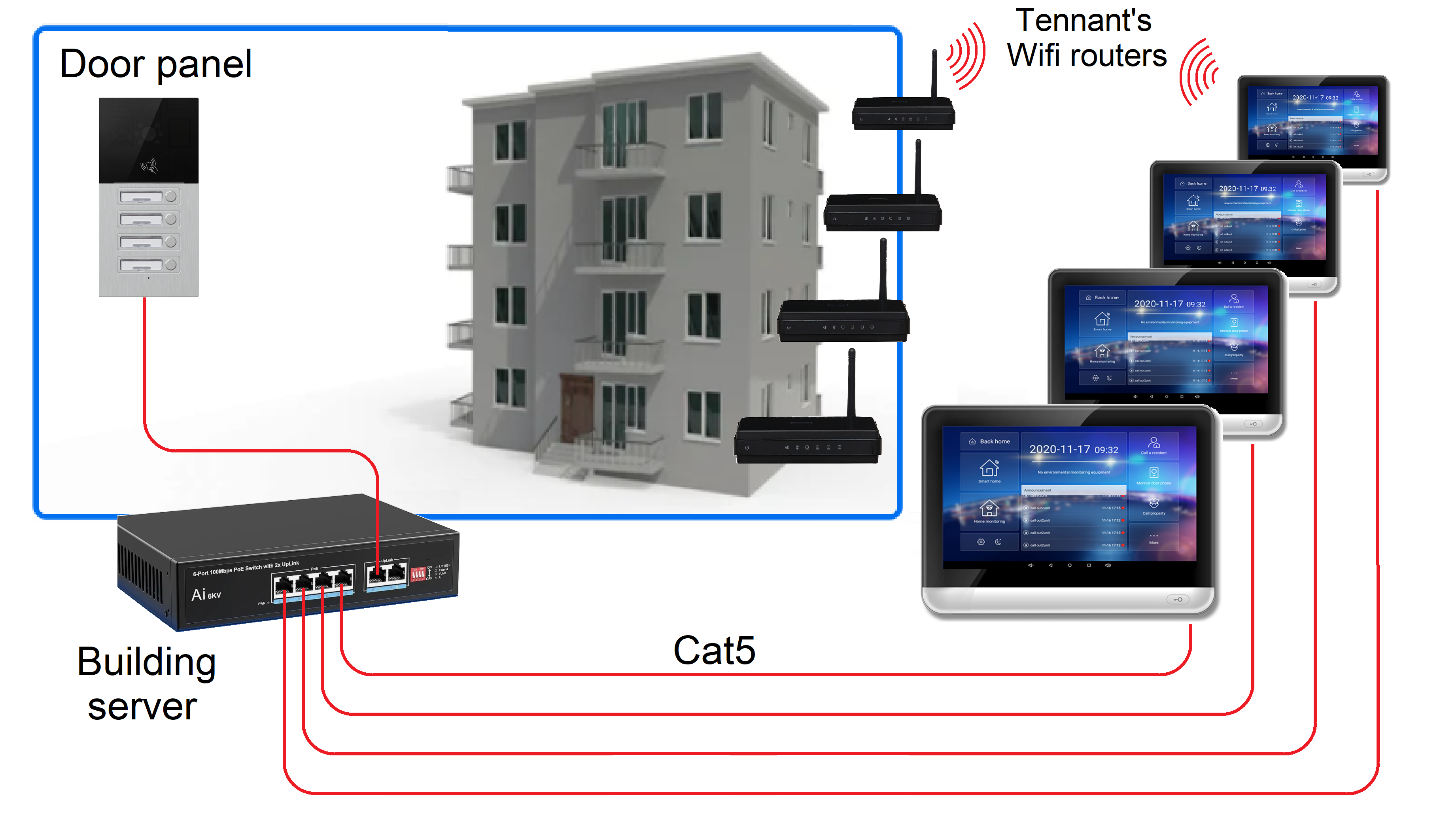
The system wiring for flats normally uses a landlord's network as part of the building backbone. Use the PoE network switch to limits the wiring to one network cable per apartment.
The S-55 terminal connects by Wifi to the apartment router. Electrically isolation from the tennants equipment ensures the network remains secure and reliably.
Tennants can also use the intercom feature to contact their neighbours via the network.
Apartment panels
These robust panels are available with 2, 4, 8, or 12 individual buttons.
Panels include a Mifare card read, which can open by smartphone using the card simulator app. Just touch the 'phone against the card reader.
Smart-i i50 sets
i50 set options
i51-3Starter set with basic monitor. Requires EBS to connect to smartphone via the home router.
i52-3 Two button door panel with two S-3 terminals connected to the home router through an EBS switch. Suits a single residence with a 'Granny annexe'.
i52-5 Two button door panel with two S-3 terminals connected to the home router through an EBS switch. This set is for buildings with independant cloud access. Can use a EBL wireless link from the panel to the EBS switch.
i54-5 Four button panel for small apartment blocks. Landlords' EBS switch connects to four S-5 terminals, which connect by Wifi to each apartment router. Can use a EBL wireless link from the panel to the EBS switch.
Sets include a PoE monitor supply EPI, or the EBS PoE switch. Panels include a VY909 power supply or 12V buck regulator. Network cables are not included.
i52 panel
i50 call panels for sheltered door applications
Flush or surface mount porches panels
Aluminium and toughened glass with single or double button
Outputs activate door locks or Rte inputs
1 mega pixel camera, no illumination
Access by tag or 'phone contact
Optional keypad and facial recognition
The call panel can connect by standard network cable, or using a wireless bridge (see EBL).
i51 panel
Smart-i i60 sets
i60 set options
i60-3 Starter set with basic S-3 monitor. set requires EBS to connect to a smartphone via the home router. Can use the EBL wireless link from the panel to monitor.
i60-5 Single button starter set with the S-5 terminal connecting to the home router by Wifi. Can use a EBL wireless link from the panel to the terminal.
add S-5 An extra S-5 terminal can be added, but needs the EBS ethernet PoE switch. This will save the original EPI, the additional EPI, and any subsequent
Sets include a PoE monitor supply EPI, or the a quad PoE switch. Panels include a VY909 power supply or 12V buck regulator. Network cables are not included.
i60 call panels are ideal for gate applications.
Weather-proof rainhood
Vandal resistant in 8mm aluminium or toughened glass
Output to activate an electric gate
Face illumination for night time
Access by tag or 'phone contact
The call panel can connect by standard network cable, or using a wireless bridge (see EBL).
Components
i60-3 outdoor set with S-3
i60-5 outdoor set with S-5
S-5 S-5 terminal only
S-5i S-5 terminal + EPI
EBS PoE network switch
EBL 1km wireless bridge
iPSO standard gateway sets
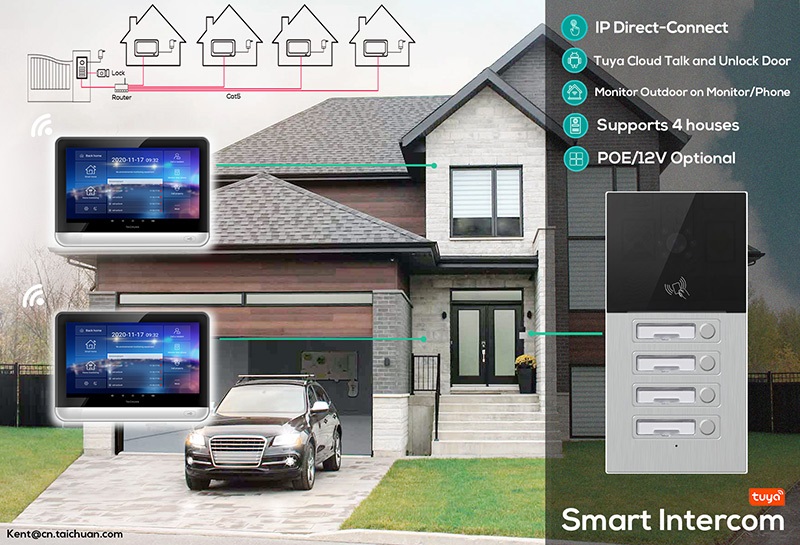
Standard IP intercoms connect the door panel, monitor, and app' on your 'phone through the home router or a network switch.
Several monitors can be connected around the house, and more than one call panel included. Often, a surveillance camera can be viewed on the monitors, or remotely on your smart-phone.
The three components need to be configured to each other by sharing addresses. Large systems may use a gateway dedicated to the intercom to streamline the data and avoid conflicts.
i40 set
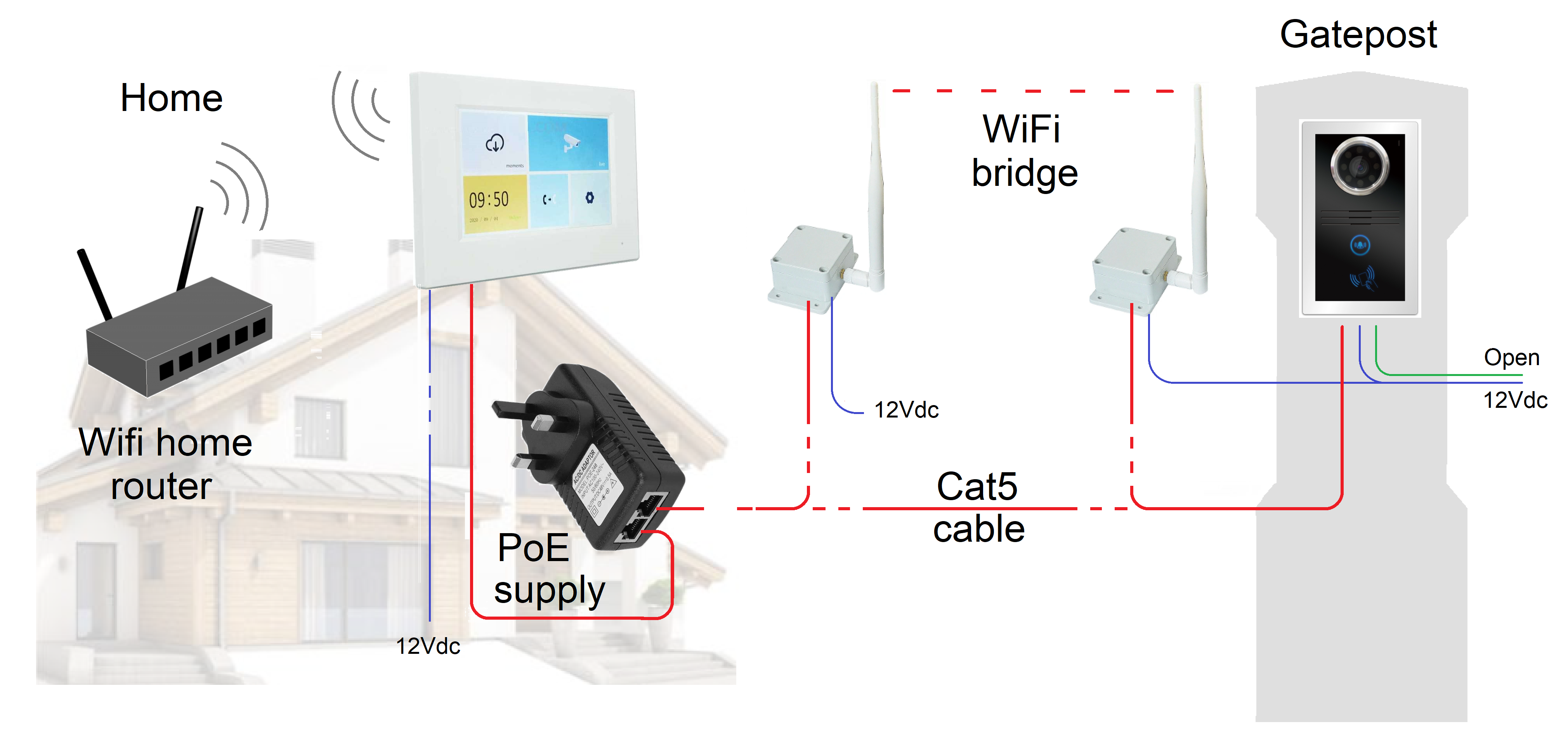
The i40 is a simple video intercom panel with a single call button. Thre is a built in WiFi module that can connect wirelessly to your home router, but this is only going to work short distances. It is fine from the front door, but is unlikely to work from a gate post. Fortunately, the panel has a Cat5 adapter for running a cable back to the house router.
The panel has a relay to operate a door strike or a gate controller. It is housed in a cast aluminium rainhood housing. The set is provided with a 12Vdc power supply and WiFi antenna.
i46 set
The i46 is the keypad version of the i40. The keypad doubles the height. The keypad technology uses piezo keys that are backlit with blue LEDs. Piezo keys respond to a tap, and confirm with a beep sound. A mastercode is used to enter the keypad programming.
There are 30 user codes in locations 1-30 giving a pulse output. The relay 'ON' time can also be set via keypad programming. 10 more codes (31-40) can be used for entering codes that toggle the output, mainly used for the hold open function. There is also an exit button input which uses the same relay output as the door strike output.
Our SKYbox is an adaptor for using on 4 wire video sets. V41 and V46. The SKYbox is wired into the 4 wire set in place of an additional monitor. SKYbox digitises the streamed analogue into IP signal. Connect to your home router, then programme through your home network. The call will appear on wired in monitors and also call the smartphone app.
Ethernet bridges connect two ethernet ports by some other transmission system. A WiFi bridges use the WiFi standard.
This EBL bridge has extraordinary range for connecting a gate intercom to the home router. Both ends are in waterproof housings with a high gain antenna. They are pre-paired. They work out of the box.
EPI PoE injector
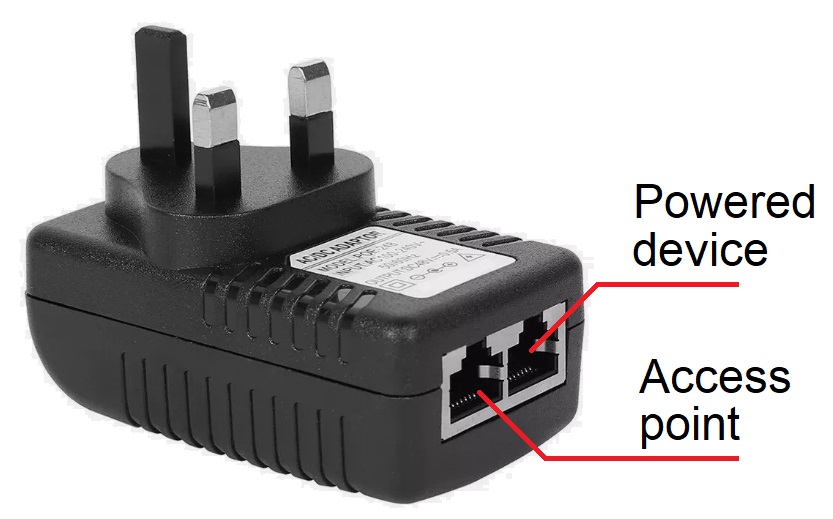
EPI is a power injector for ethernet devices that that are wired for PoE (power over ethernet). The EPI power adapter adds 48V to unused data pairs.
Smart-i terminals and monitors only need a single network cable for basic use. Call panels and the EBL bridge are not PoE but no harm is done if connected.
Ethernet injector
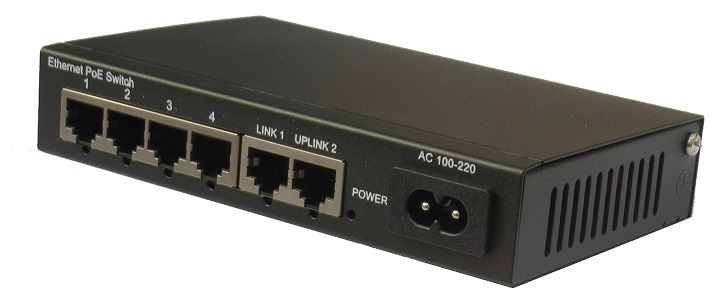
EPS network switch
EPS is a network switch with PoE on downstream ports. There is a built in power supply, so requires a mains supply.
Network switches are used for all but one to one Villasets. When addresses are set, the switch automatically routes calls from call panels to monitors and provides power. The Uplink ports are used to connect to the home router.
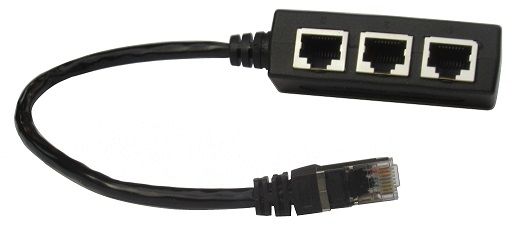
ESP ethernet splitter
Passive splitters only serve to put two devices on the same ethernet port. The devices will need to share the port's bandwidth.
For example, two cameras would have a problem streaming at the same time. Gate control interfaces only require a low bandwidth, so are ideal to share the port.
Ethernet splitter
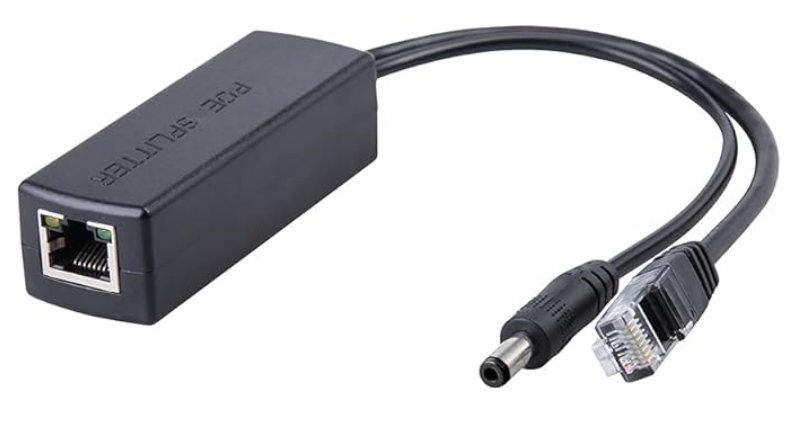
Ethernet extractor
EPE ethernet extractor
Where a PoE injector adds power to the data channels of a Cat cable, these ethernet extractors separate the power from the data channels. This is unnecessary for PoE devices that use 48V on mode A, but many cameras and call panels need 12Vdc. So this extractor includes a buck regulator that converts the 48V to 12Vdc.